
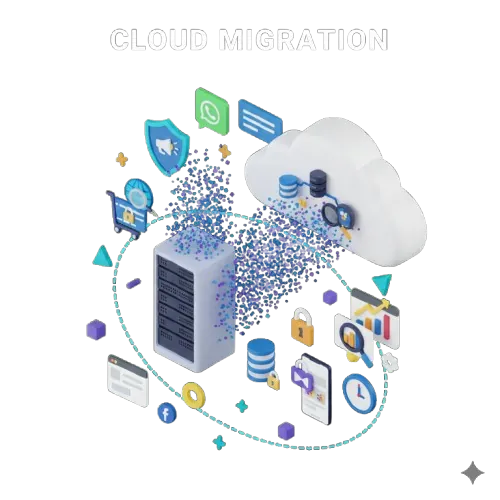
Many small businesses still run their software, files and backups on a computer or server in the office. When that machine fails, gets infected or simply runs out of space, the business stops. Cloud computing moves these workloads to secure data centres run by providers such as AWS, Microsoft Azure and Google Cloud, so you pay for what you use and access it from anywhere.
Benefits of cloud computing
Lower upfront costs
No need to buy servers, storage and networking equipment. You pay monthly for the resources you use and scale up or down as needed.
Work from anywhere
Your team can securely access applications and files from the office, home or on the move.
Better reliability
Cloud providers run redundant power, cooling and networking across multiple data centres, offering far higher uptime than a typical office server.
Built-in backups and disaster recovery
Automated backups and snapshots mean a hardware failure, mistake or ransomware attack does not have to mean lost data.
Security
Major providers invest heavily in physical and digital security, encryption and compliance certifications. Your responsibility is to configure access and settings correctly.
Easy scaling
Handle festival sales spikes, new branches or a growing customer base without buying new hardware.
What can you move to the cloud?
- Websites and online stores.
- Business applications such as ERP, CRM, billing and inventory.
- Email and file storage.
- Databases and backups.
- Custom software and SaaS products.
Cloud migration checklist
- Inventory everything: applications, databases, files, users and integrations.
- Set goals: lower cost, better uptime, remote access or scalability.
- Choose the approach for each workload: move as-is, optimise during the move, or replace with a SaaS tool.
- Pick a provider and region; Indian regions help with speed and data residency needs.
- Plan security: user access, multi-factor authentication, encryption and backups.
- Estimate costs with the provider's pricing calculator, and set budget alerts.
- Migrate in phases, starting with low-risk workloads.
- Test thoroughly before switching over.
- Cut over during a quiet period, with a rollback plan.
- Monitor and optimise performance and costs after the move.
Common mistakes
- Moving everything at once without testing.
- Leaving storage or databases publicly accessible by mistake.
- Over-provisioning servers and paying for capacity you do not use.
- Forgetting to set up backups and monitoring.
Conclusion
The cloud gives small businesses enterprise-grade reliability and flexibility at a manageable cost. With a careful plan and phased migration, the move can be smooth and low-risk.
Codingrim provides cloud migration services and managed hosting for businesses across Tamil Nadu, covering AWS, Azure and Google Cloud. Plan your migration with us.
Frequently Asked Questions
What are the benefits of cloud computing for small businesses?
Lower upfront costs, access from anywhere, higher reliability, automated backups, strong security and the ability to scale up or down as the business changes.
Is the cloud safe for business data?
Major cloud providers offer strong security, but you must configure it correctly: restrict access, enable multi-factor authentication, encrypt data and keep backups.
How do I migrate my business to the cloud?
Inventory your systems, set goals, choose a provider and region, plan security and costs, migrate in phases starting with low-risk workloads, test thoroughly, then monitor and optimise.